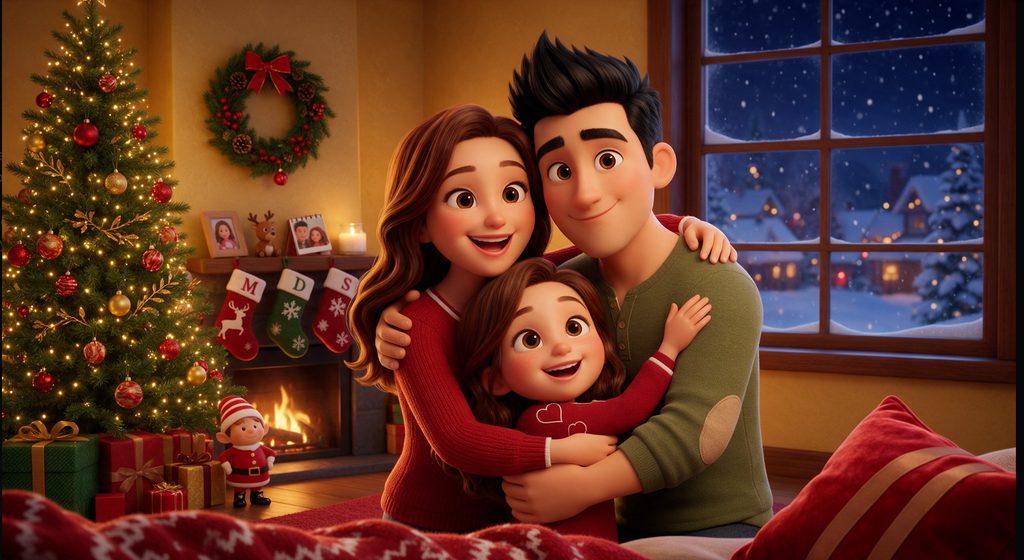
AI hug generators can turn photos and creative ideas into virtual hugging images or videos. Some tools offer dedicated AI hug effects, while others use AI image or video generation to create hugging scenes. Whether you want to animate photos, generate a hug from a text prompt, or create a story based video, the following tools offer different ways to bring your idea to life.
Part 1. 5 Best AI Hug Generators
1. MagicLight
Best For: Creating story based hugging videos with consistent characters and connected scenes.
MagicLight is an AI video creation platform that turns ideas and scripts into videos. Rather than only generate hug images , it can help creators build a hugging scene as part of a larger story. You can create characters, organize a script into scenes, and customize the generated content before producing a video. This approach is useful for emotional stories, family reunions, or fictional scenes where the hug is one moment in a wider narrative.
Key Features
- Story to Video turns written scripts into organized scenes for video production.
- AI Character Creation helps create characters that can appear throughout a story.
- Scene Customization allows creators to review and adjust generated scenes.
2. Media.io
Best For: Creating photo based hug content and turning images into short visual clips.
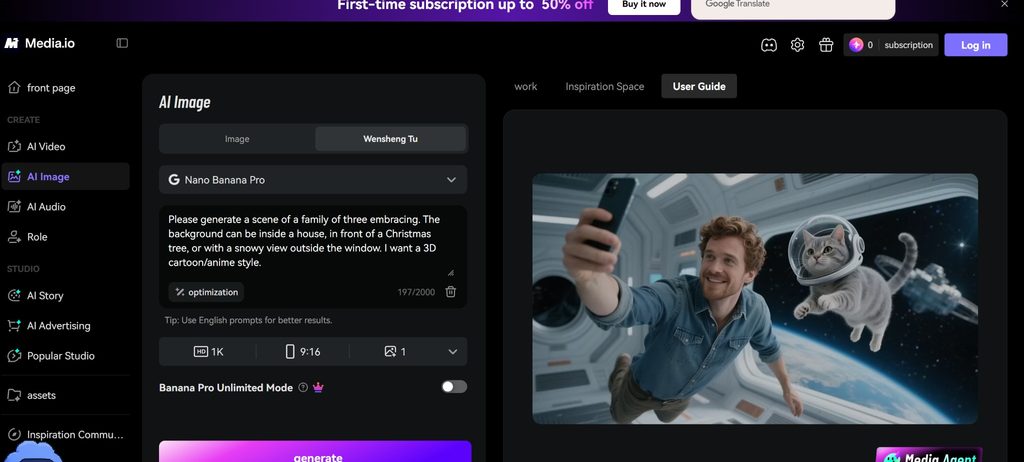
Media.io offers online AI image and video tools that can support different stages of AI hug creation. Users can explore its image and video workflows to create hugging visuals or animate photos, depending on the features available. Its browser based interface makes it convenient for users who want to create content without installing desktop software. Check the selected tool’s input requirements to confirm whether it supports your intended photo or video effect.
Key Features
- AI Image Creation helps generate or edit visuals for hugging scenes.
- AI Video Tools provide options for creating moving visual content.
- Browser Based Editing lets users access supported creation tools online.
3. Pollo AI
Best For: Generating imaginative hugging scenes from text prompts and visual inputs.
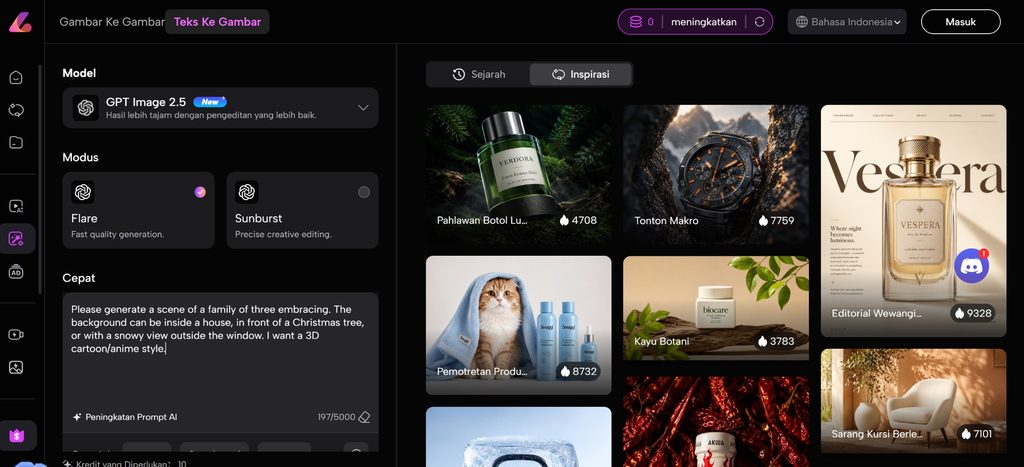
Pollo AI is an AI video generation platform for turning creative ideas into video content. To create a hugging scene, users can describe the people, their actions, the setting, and the emotion they want to convey. A prompt might describe two people meeting at a train station and sharing a warm embrace. Depending on the available workflow, users can also explore image based generation to guide the visual result.
Key Features
- Text to Video generates scenes from written descriptions.
- Image Based Generation uses supported images as visual references.
- Prompt Guided Creation helps define the hug, setting, mood, and visual style.
4. Fotor
Best For: Creating AI hug images and preparing photos for animation.
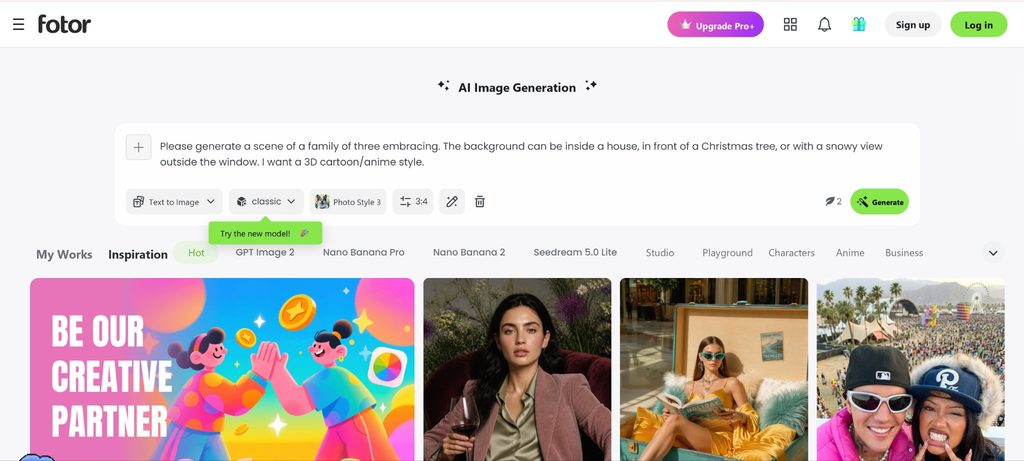
Fotor is an online image editing and design platform with AI image generation and photo editing features. It can help users create a still image of two people hugging, refine an existing photo, or prepare an image to animate with a separate video generator. This makes it particularly relevant when the main goal is to create or improve the visual before turning it into a moving scene. If you need a complete AI hug video, check Fotor’s current video generation options.
Key Features
- AI Image Generation creates visuals from written descriptions.
- Photo Editing helps refine images and adjust their appearance.
- Design Tools support preparing images for social media and other projects.
5. Vidu AI
Best For: Turning text prompts or supported images into short hugging videos.

Vidu AI is an AI video generation tool that can create moving scenes from text prompts or image inputs, depending on the selected feature. Users can describe a hugging scene or start with an image if the chosen workflow supports image to video generation. It can be useful for creating short visual moments, such as a reunion or a comforting embrace. As with other generative video tools, the naturalness of the movement and consistency of the people can vary between results.
Key Features
- Text to Video generates moving scenes from written prompts.
- Image to Video animates supported images into video content.
- Visual Scene Generation helps create clips with different actions and settings.
Part 2. What to Consider When Creating an AI Hug Video
Choosing Between Photos and Text Prompts
The input you have can help determine which type of it to use. If you want to animate an existing photo, look for a tool that supports image to video generation or a photo based hug effect. If you are creating a scene from scratch, text to video generation lets you describe the people, action, setting, and mood without needing an original image.
Writing a Clear Hugging Scene Prompt
A clear prompt can help an AI video generator understand the interaction you want to create. Describe who is hugging, their positions, the type of hug, and what is happening around them. For example, a reunion hug between two family members may need a different description from a friendly greeting or a comforting embrace. Keeping the action focused can also make the intended movement easier for the tool to interpret.
Checking Free Usage and Video Output
If you want a free AI hug generator, check whether its free plan includes the specific creation feature you need. Some platforms may limit the number of generations, video duration, resolution, or download options. Watermarks and export restrictions can also affect whether the finished clip is suitable for sharing. Reviewing these details before generating a video can help you choose a tool that matches your intended use.
Matching the Tool to Your Project
A short hugging clip for social media may only require a simple photo animation or a single generated scene. A longer video may need recurring characters, multiple scenes, or a connected storyline. In that case, a broader AI video creation platform such as MagicLight may be useful for developing the hug as part of a larger narrative. Consider the final result you want rather than choosing a tool based only on its AI hug label.
Conclusion
This kind of platform can help create still hugging images, animate photos, or generate moving scenes from text prompts. The tools differ in their focus: some are more relevant to image creation, while others support broader video generation or story based projects.
Choose a tool based on the input you have, the type of hug video you want to make, and the available export options. For a single visual effect, a photo based workflow may be enough. For a video with connected scenes and recurring characters, a broader platform such as MagicLight may better suit your project. Check the tool’s current features and free usage limits before creating your final video.
FAQs About AI Hug Generators
Is There a Free AI Hug Generator?
Some tools offer free credits, trial access, or limited free features. The available options vary by platform, so check whether the free plan supports the image or video workflow you need and whether it allows you to download the result.
Can I Make an AI Hug Video From Two Photos?
Some AI tools support photo based hug effects or image to video generation. Whether you can use two separate photos depends on the platform’s input requirements and the selected feature. Check the supported workflow before uploading your images.
How Can I Make an AI Hug Video Look Realistic?
Use clear photos or a detailed prompt that describes the people, their positions, the hug, the setting, and the movement. Keep the action simple and avoid conflicting instructions. You may need to generate several versions to find one with natural movement and consistent visual details.
Can an AI Hug Generator Create a Video From Text?
Some AI video generators can create hugging scenes from text prompts. Describe who is hugging, how the interaction unfolds, where it takes place, and the mood you want to convey. The result depends on the tool’s generation capabilities and how it interprets your description.
What Is the Difference Between an AI Hug Image Generator and an AI Hug Video Generator?
An AI hug image generator creates a still picture of people hugging, while an AI hug video generator creates a moving scene. Video tools may animate an existing image or generate a new scene from text. Choose based on whether you need a single image or a clip that shows the hug unfolding over time.